
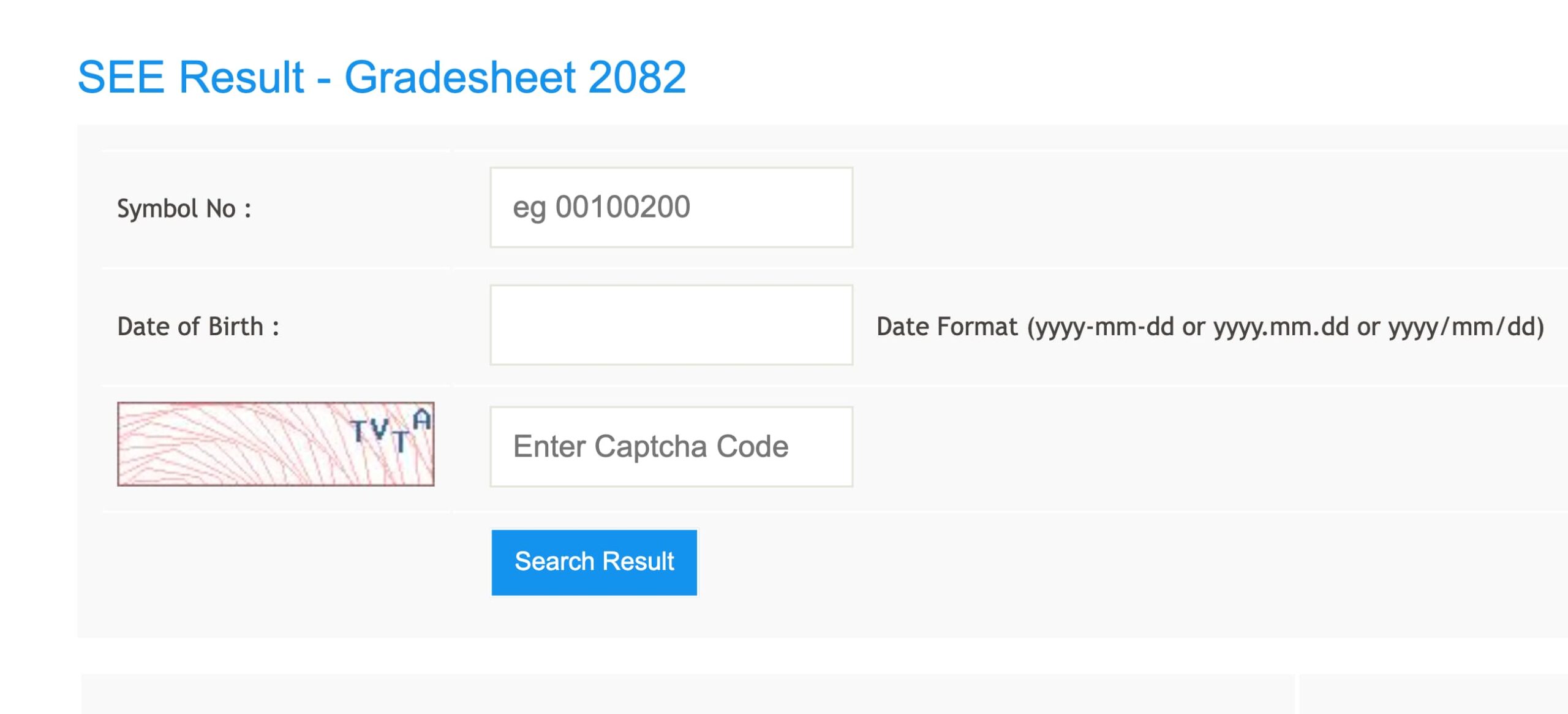
The SEE Result 2082/2083 has been published today on 12th May 2026, which is 28th Baisakh 2083. Students who appeared in the Secondary Education Examination can now check their SEE result online, through SMS, IVR, and authorized result websites.
The SEE exam 2082 was conducted from 19th Chaitra 2082 to 29th Chaitra 2082 across Nepal. This year, more than 4 lakh students appeared in the SEE Class 10 examination. Students can check their result by entering their symbol number on official and approved result portals.
In this article, you can find the SEE Result 2083 date, official websites, how to check SEE result online, SMS method, IVR method, national-wise result statistics, province-wise statistics, GPA details, and important information after the result.
SEE Result 2083 2082 Published Date
The National Examination Board has published the SEE Result 2082/2083 on 12th May 2026. According to the Nepali calendar, the result was published on 28th Baisakh 2083. Students can now check their SEE result through authorized websites, SMS service, and IVR service.
| Exam Name | Secondary Education Examination SEE |
| Academic Year | 2082/2083 |
| Exam Date | 19th Chaitra 2082 to 29th Chaitra 2082 |
| Result Date | 12th May 2026 |
| Nepali Date | 28th Baisakh 2083 |
| Result Mode | Online, SMS and IVR |
| Official Website | see.gov.np, neb.gov.np, see.ntc.net.np |
SEE Result 2083 2082
SEE Result 2083 is one of the most awaited results for Class 10 students in Nepal. After the SEE exam is completed, students wait for their GPA, grade sheet, and result status. This year also, students from all seven provinces appeared in the examination.
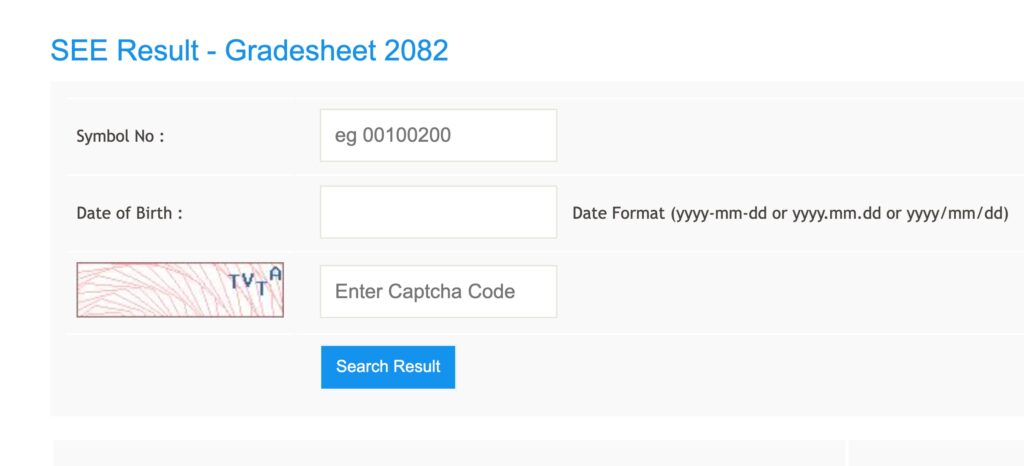
Students can check their SEE result by using their symbol number. Some websites may also ask for date of birth or other details. The online result is useful for quick checking, but students should collect their original grade sheet from their school after the official distribution starts.
SEE Result 2083 Official Websites
Students should always use official or authorized websites to check SEE result. Due to high traffic on result day, some websites may load slowly. If one website does not open, students can try another approved website.
| S.N. | Website Name | Website |
|---|---|---|
| 1 | Office of Controller of Examinations Class 10 | www.see.gov.np |
| 2 | National Examination Board | www.neb.gov.np |
| 3 | Nepal Telecom | www.see.ntc.net.np |
| 4 | eKantipur | www.ekantipur.com |
| 5 | Edusanjal | www.see.edusanjal.com |
| 6 | Khalti | https://khalti.com/app |
| 7 | College Info Nepal | see.collegeinfonepal.com |
| 8 | The Connect Plus | https://theconnectplus.com |
| 9 | Ncell App | https://ncellapp.ncell.com.np/result |
| 10 | Neema Academy | result.neemaacademy.com |
| 11 | Resultayo | resultayo.com |
| 12 | Ambition Guru | see.ambition.guru |
| 13 | Mero Study | https://see.merostudy.net |
| 14 | Neb Education | nebeducation.com/see |
How to Check SEE Result 2083 Online?
Students can check the SEE Result 2082/2083 online using their symbol number. The process is simple and can be done from mobile, laptop, or desktop.
- Visit an official or authorized SEE result website such as see.gov.np, see.ntc.net.np, or see.collegeinfonepal.com.
- Find the SEE Result 2082/2083 result section.
- Enter your SEE symbol number correctly.
- Enter date of birth or other required details if asked.
- Click on the submit or check result button.
- Your SEE result, GPA, and grade details will appear on the screen.
- Download or take a screenshot of the result for temporary use.
Students should enter their symbol number exactly as written on the admit card. If the symbol number is wrong, the result may not appear.
How to Check SEE Result 2083 via SMS?
If the website is not opening because of heavy traffic, students can check their SEE result through SMS. SMS is useful for students who do not have a stable internet connection.
To check SEE result by SMS, open the message app on your mobile phone and type SEE followed by your symbol number. Then send it to the official shortcode provided by the service provider.
| S.N. | Company Name | Service | Shortcode |
|---|---|---|---|
| 1 | Nepal Telecom | SMS, USSD and IVR | 1600 |
| 2 | Janaki Technology Pvt. Ltd. | SMS | 35001 |
| 3 | Ambition Guru Pvt. Ltd. | SMS | 31061 |
Example: Type SEE 12345678 and send it to 1600.
How to Check SEE Result 2083 via IVR?
Students can also check the SEE result through IVR service. For this, dial 1600 from your phone and follow the voice instructions. This method is helpful when the internet is slow or result websites are not loading.
National Wise SEE Result 2082 Statistics
According to the national-wise SEE 2082 result statistics, a total of 430,667 students were included in the result data. Out of them, 284,160 students passed, while 146,507 students received NG. The total pass percentage was 65.98%.
| S.N. | GPA Group | Total Students |
|---|---|---|
| 1 | GPA 1.60 to < 2.00 | 7 |
| 2 | GPA 2.00 to < 2.40 | 5,190 |
| 3 | GPA 2.40 to < 2.80 | 55,977 |
| 4 | GPA 2.80 to < 3.20 | 94,222 |
| 5 | GPA 3.20 to < 3.60 | 80,372 |
| 6 | GPA 3.60 to <= 4.00 | 48,392 |
| 7 | NG | 146,507 |
| Total | Total Students | 430,667 |
| Total Passed Students | 284,160 |
| Total NG Students | 146,507 |
| Total Students | 430,667 |
| Pass Percentage | 65.98% |
Province Wise SEE Result 2082 Statistics
The province-wise SEE result statistics show the number of students in different GPA groups from all seven provinces. Province 3 had the highest number of students in the data, while Province 6 had the lowest total number among the seven provinces.
| Province | 1.60 to <2.00 | 2.00 to <2.40 | 2.40 to <2.80 | 2.80 to <3.20 | 3.20 to <3.60 | 3.60 to <=4.00 | NG | Total |
|---|---|---|---|---|---|---|---|---|
| Province 1 | 4 | 1,111 | 9,767 | 16,404 | 14,930 | 8,674 | 21,366 | 72,256 |
| Province 2 | 1 | 570 | 9,080 | 15,834 | 12,935 | 6,172 | 31,725 | 76,317 |
| Province 3 | 0 | 683 | 9,586 | 21,578 | 24,837 | 20,429 | 21,704 | 98,817 |
| Province 4 | 0 | 413 | 5,354 | 9,445 | 7,339 | 3,999 | 9,943 | 36,493 |
| Province 5 | 0 | 924 | 10,012 | 14,985 | 11,899 | 6,436 | 27,893 | 72,149 |
| Province 6 | 0 | 589 | 5,619 | 7,630 | 3,989 | 1,268 | 13,241 | 32,336 |
| Province 7 | 2 | 900 | 6,559 | 8,346 | 4,443 | 1,414 | 20,635 | 42,299 |
SEE Result 2083 GPA Details
The SEE result is published with GPA and grade groups. Students who meet the minimum requirement will receive their GPA, while students who do not meet the required grade in one or more subjects may receive NG.
| Percentage | Grade | Description | Grade Point |
|---|---|---|---|
| 90 to 100 | A+ | Outstanding | 4.0 |
| 80 to below 90 | A | Excellent | 3.6 |
| 70 to below 80 | B+ | Very Good | 3.2 |
| 60 to below 70 | B | Good | 2.8 |
| 50 to below 60 | C+ | Satisfactory | 2.4 |
| 40 to below 50 | C | Acceptable | 2.0 |
| 35 and above | D | Basic | 1.6 |
| Below 35 | NG | Unclassified | – |
Details Mentioned on SEE Result Marksheet
The online SEE result or grade sheet usually includes important student and exam details. Students should check all details carefully after downloading or viewing the result.
- Student name
- Symbol number
- Date of birth if available
- School name
- Subject-wise grade
- Grade point
- GPA
- Result status
- Remarks such as passed or NG
What to Do After SEE Result 2083?
After the SEE result is published, students can start preparing for Class 11 admission. Students can choose Science, Management, Humanities, Law, Education, Hotel Management, A-Level, or technical subjects based on their interest and GPA.
Students should not select a subject only because of pressure from friends or family. It is better to understand your interest, future career plan, college environment, scholarship opportunities, and subject requirements before choosing a stream.
Many colleges also open entrance forms after the SEE result. Students who want scholarships should check notices from colleges, municipalities, and local government offices. Some scholarship exams are merit-based, so students should apply on time.
Important Tips for Students
- Use only official or authorized websites to check your SEE result.
- Keep your symbol number ready before checking the result.
- If the website is slow, try SMS or IVR method.
- Do not panic if the website does not open immediately because result websites may receive heavy traffic.
- Collect your original grade sheet from your school after it becomes available.
- Check college admission and scholarship notices after the result.
SEE Result 2083 FAQs
When was the SEE exam 2082 held?
The SEE exam 2082 was held from 19th Chaitra 2082 to 29th Chaitra 2082.
When was the SEE exam 2082 held?
The SEE exam 2082 was held from 19th Chaitra 2082 to 29th Chaitra 2082.
When was SEE Result 2083 published?
SEE Result 2083 was published on 12th May 2026, which is 28th Baisakh 2083.
Where can I check SEE Result 2083?
You can check SEE Result 2083 from official and authorized websites such as see.gov.np, neb.gov.np, see.ntc.net.np, and other approved result portals.
Where can I check SEE Result 2083?
You can check SEE Result 2083 from official and authorized websites such as see.gov.np, neb.gov.np, see.ntc.net.np, and other approved result portals.
How can I check SEE result by SMS?
You can check SEE result by typing SEE followed by your symbol number and sending it to 1600 or other approved shortcodes.
What is the total pass percentage of SEE 2082?
According to the provided national-wise result statistics, the total pass percentage of SEE 2082 is 65.98%.
What does NG mean in SEE result?
NG means Non-Graded. It is shown when a student does not meet the required grade criteria in one or more subjects.
If the official website is slow, students can use SMS or IVR services. After checking the result, students should focus on choosing the right subject and college for Class 11.
Students are advised to verify their result from official sources and collect the original grade sheet from their school. Best wishes to all SEE students for their next academic journey.